
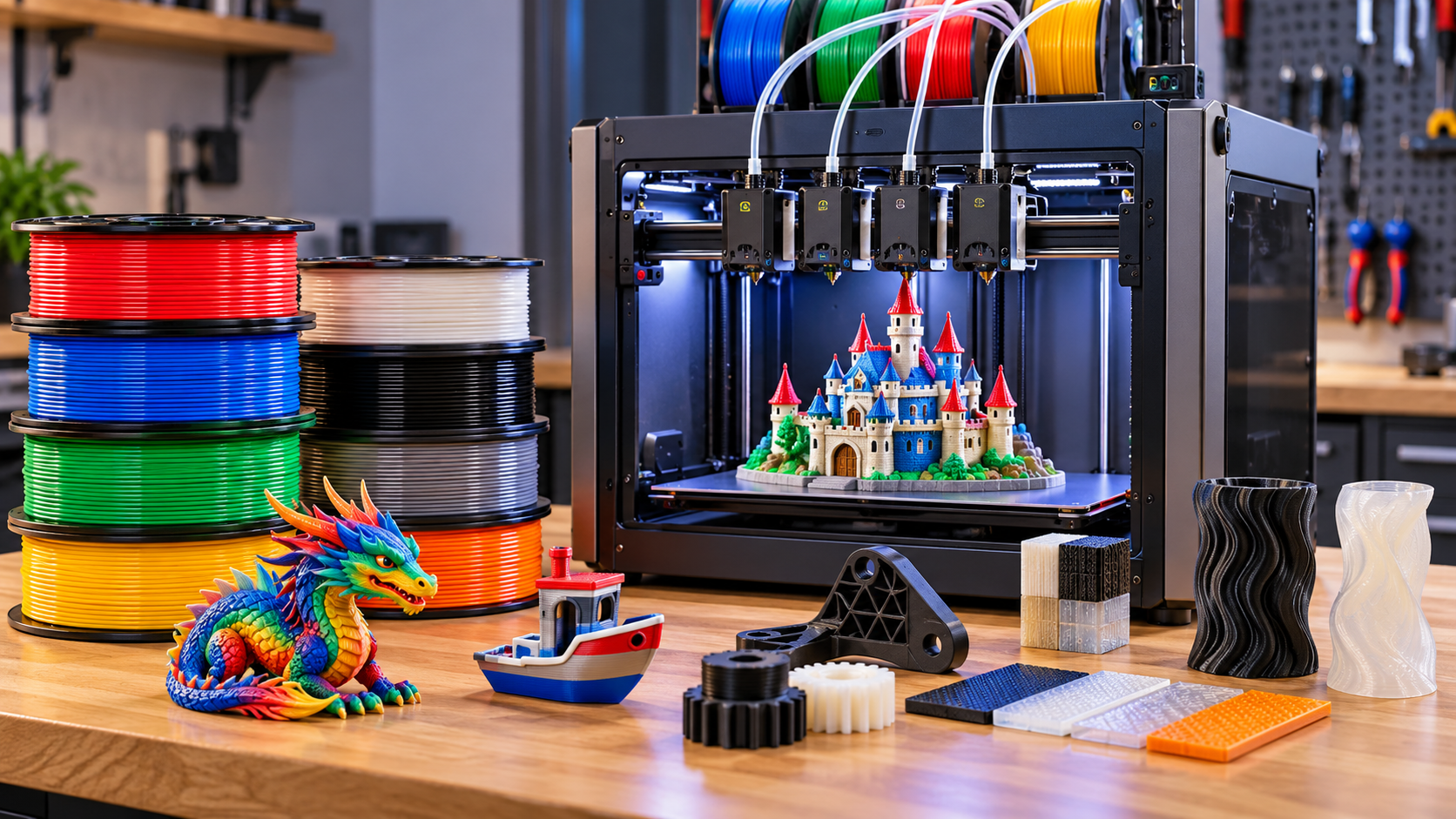
Multimaterial and multicolor 3D printing have changed what is possible with a desktop 3D printer. Instead of producing an object from a single spool of filament, modern printers can combine multiple colors or even completely different materials in the same print.
That can mean something as simple as printing a model in several colors, or something considerably more useful—such as combining a rigid material with flexible material, using soluble support material, or creating a part with different properties in different areas.
But not all multicolor and multi-material systems work the same way. Some printers use a single nozzle and repeatedly switch filament. Others use multiple independently loaded toolheads and physically change the nozzle being used. Those differences have a major effect on print speed, material waste, reliability, and what types of projects the printer can handle.
This guide explains how the major approaches work, what their advantages and limitations are, and why the distinction between multicolor and multi-material printing matters.
Table of Contents
What Is Multicolor 3D Printing?
Multicolor 3D printing means producing a single printed object using more than one color of filament.
The simplest example is a model that contains red, white, and black sections. Instead of printing three separate pieces and assembling them afterward, a compatible printer can change between the three filaments during the print.
Most consumer multicolor systems accomplish this by having the slicer divide the model into different color regions. When the printer reaches a layer where the color needs to change, it performs a filament change before continuing the print.
The important point is that multicolor does not necessarily mean multi-material. A printer could produce a four-color model using four spools of exactly the same PLA formulation.
For example:
- Red PLA
- Blue PLA
- White PLA
- Black PLA
That’s multicolor printing, but it is still essentially a single-material print.
What Is Multi-Material 3D Printing?
Multi-material 3D printing goes a step further by allowing a printer to use different types—or sometimes different properties—of material within the same print.
For example, a single object might combine:
- PLA for the rigid body
- TPU for flexible sections
- PVA for water-soluble supports
- Another compatible material for a specific structural or functional section
This is where multi-material printing becomes considerably more interesting than simply adding color.
The key distinction is:
Multicolor describes what the print looks like.
Multi-material describes what the print is made from.
A print can therefore be:
- Multicolor but single-material
- Single-color but multi-material
- Both multicolor and multi-material
That distinction is important because the hardware and software required can be very different depending on what you’re trying to accomplish.
How Do Multicolor 3D Printers Change Filament?
There are several ways a 3D printer can switch between colors or materials, but most desktop systems fall into two broad categories:
- Shared-nozzle filament switching
- Multiple toolheads or printheads
The difference is important because the method used to change materials affects waste, print time, material compatibility, and mechanical complexity.
Shared-Nozzle Filament Switching
The most common approach is to use one nozzle and one extrusion path while keeping multiple filaments available to the printer.
A multi-material system such as the Prusa MMU3 can manage up to five filaments and automatically select which one is fed into the printer’s extruder. and automatically select which one is fed into the printer’s extruder. When a color or material change is required, the current filament is retracted, the next filament is loaded, and the nozzle is purged before printing continues. Prusa3D by Josef Prusa
The basic process looks something like this:
Filament A printing → Filament A retracts → Filament B loads → Old material is purged → New material is primed → Printing resumes
This happens automatically, but it can happen hundreds or even thousands of times during a complex multicolor print.
The advantage of this approach is that a single printhead can handle several filaments without requiring a separate hotend for each one. It can also be relatively compact and can be added to some existing printer designs.
The disadvantage is that the nozzle still contains the previous material whenever a change occurs. That material has to be pushed out before the new material can produce a clean transition.
Where does the purged material go?
Depending on the printer and slicer, the discarded material may be deposited into a purge or wipe tower, purged beside the model, or sometimes redirected into the infill of another object.
The purge material isn’t necessarily wasted because the printer is malfunctioning. It is a consequence of using a shared nozzle. This is one of the biggest tradeoffs of multicolor 3D printing when using a shared nozzle.
The printer has to remove enough of the previous material from the nozzle and melt zone to prevent it from contaminating the next color or material.
Prusa, for example, uses a wipe tower to collect material purged during filament changes, and its software can also use other objects or infill as purge targets in certain situations.
Multiple Toolheads: Change the Tool Instead
A fundamentally different approach is to give the printer multiple complete printheads, each with its own filament path and nozzle.
Instead of doing this:
Unload → purge → reload → purge → print
the printer can do this:
Park Toolhead A → Pick up Toolhead B → Continue printing
This is generally called a tool-changing or toolchanger system.
The advantage is that each material can remain loaded and ready to print in its own toolhead.
The Snapmaker U1 is an example of this approach. It has four independent toolheads, each with its own nozzle and filament path. When the printer needs a different material or color, it physically changes toolheads rather than pushing a new filament through the same nozzle. The Snapmaker U1 review goes into more detail about how this four-toolhead approach performs in actual multicolor printing.Snapmaker
That eliminates much of the purge process associated with shared-nozzle systems.
It also opens up some interesting possibilities for genuinely different materials. A printer can keep, for example, a rigid filament in one toolhead and a flexible filament in another, rather than repeatedly forcing both materials through the same extrusion system.
But toolchangers have their own challenges
The approach isn’t automatically better in every respect.
A toolchanger has to:
- Position each toolhead accurately
- Reliably pick up and release tools
- Maintain nozzle alignment
- Manage multiple heaters and extruders
- Keep the toolheads calibrated
- Provide enough physical space to store the unused tools
The mechanical precision required is significant because even a small positioning error can affect the print.
Snapmaker’s U1, for example, uses a mechanical locking and kinematic coupling system to repeatedly position its toolheads. Snapmaker says the mechanism has been tested through more than one million tool swaps, although that’s a manufacturer test claim rather than an independent measurement.
Two Different Solutions to the Same Problem
There are two fundamentally different ways a printer can handle multiple colors or materials:
Shared-Nozzle Systems
Keep the printhead and change the filament.
The printer uses a single nozzle while multiple filaments are made available through a filament management system. When a different color or material is needed, the current filament is unloaded and the next one is fed into the same printhead.
Advantages:
- One printhead
- Generally compact
- Multiple colors or materials can be supplied to one nozzle
- Mature and widely used approach
Tradeoffs:
- Filament must be unloaded and loaded
- Material has to be purged during changes
- Color changes add time
- Some materials are more difficult to switch reliably than others
Tool-Changing Systems
Keep the filament loaded and change the printhead.
Instead of feeding several materials through one nozzle, each material remains loaded in its own toolhead. When another material is needed, the printer parks the current toolhead and picks up the one containing the required material.
Advantages:
- Materials remain loaded in separate extrusion systems
- Much less purge material is required for many color changes
- Different materials can remain ready simultaneously
- Can make some mixed-material applications easier
Tradeoffs:
- More mechanical complexity
- Toolheads must be positioned accurately
- Additional hardware requires maintenance and calibration
- The printer needs a system for storing and changing toolheads
Neither approach eliminates all of the challenges of multi-material printing. They simply solve the material-change problem in different ways.
Why Does Multicolor Printing Produce So Much Waste?
If you’ve ever seen the little piles of discarded plastic produced by a multicolor 3D printer, it can seem surprising that changing colors could use so much extra material.
The reason is simple: a shared nozzle has to be cleaned whenever the filament changes.
When one color is replaced by another, some of the previous filament remains inside the nozzle and hotend. If the printer immediately started printing with the new color, the remaining material could contaminate it.
For example, imagine printing a white section immediately after printing black. Even a relatively small amount of black filament remaining in the nozzle could turn the beginning of the white extrusion gray.
The printer therefore feeds additional filament through the nozzle until the previous color has been sufficiently displaced. Prusa’s documentation describes this transition as the new filament pushing the remaining melted material out of the nozzle. Prusa Knowledge Base
The more color changes, the more waste
This is where multicolor printing can become surprisingly inefficient.
A model might only contain a small amount of red material, for example, but if the printer has to switch between red and another color repeatedly over hundreds of layers, it may perform hundreds of individual filament changes.
Every change can require some amount of purging.
The amount isn’t fixed. It depends on factors such as:
- The number of colors
- How frequently the colors change
- The colors being switched between
- The materials being used
- Slicer purge settings
- The geometry of the model
Even the direction of the color change can matter. Switching from a dark filament to a light one generally requires more purging to prevent the previous color from showing through. Snapmaker’s own multicolor calculator specifically notes that dark-to-light changes can require more purging. Snapmaker
Where does all that material go?
There are several ways a printer can deal with the purged filament.
Purge or wipe tower
A dedicated structure is printed alongside the model. The printer deposits the material removed during color changes into the tower.
Prusa calls this a wipe tower and notes that its size is related to the number of color changes rather than simply the size of the printed object. Prusa Knowledge Base
Wipe into infill
Some slicers can direct the purged material into the infill of the actual model. The mixed-color material is hidden inside the part instead of being discarded as a separate tower.
Wipe into another object
A second object can also be used as a purge target. This essentially turns the discarded material into another, often intentionally multicolored, object. PrusaSlicer supports both wipe-to-infill and wipe-into-object approaches. Prusa3D by Josef Prusa
These techniques don’t eliminate the material being used during a filament change, but they can make better use of it.
Why Toolchanging Can Reduce Waste
A tool-changing printer approaches the problem differently.
Instead of removing one filament and pushing another through the same nozzle, each material can remain loaded in its own dedicated toolhead.
When the printer needs another material, it changes toolheads.
That means the new nozzle isn’t contaminated with the previous filament, so there isn’t a large volume of old material that needs to be pushed out before printing can continue.
The Snapmaker U1 is an example of this architecture. It uses four independent toolheads, each with its own filament path and nozzle. Snapmaker says the U1 still produces a small amount of waste from nozzle clearing, wiping, and calibration, but avoids the large purge volume associated with shared-nozzle filament switching. Snapmaker
That distinction is important because “zero purge” doesn’t mean literally zero waste.
Even a toolchanger can produce small amounts of waste from things such as nozzle wiping, priming, calibration, or filament that has degraded while sitting in a heated nozzle. Snapmaker Wiki
So a more accurate way to describe the difference is:
Shared-nozzle systems generally purge material during filament changes. Tool-changing systems can avoid most of that color-change purge by changing the nozzle instead.
That is the fundamental reason toolchanging can be much more efficient for prints with frequent color or material changes.
Multicolor vs. Multi-Material: What’s the Difference?
The terms multicolor and multi-material are often used interchangeably, but they describe two different capabilities.
Multicolor printing is primarily about appearance. The printer uses multiple colors to create a finished object with different colored sections.
Multi-material printing is primarily about combining materials with different properties or functions.. The printer can combine materials with different physical or chemical properties in the same print.
For example, printing a model using red, blue, and white PLA is a multicolor print. The material is essentially the same throughout the model; only the color changes.
On the other hand, printing a rigid part with PLA while using TPU for a flexible hinge or grip is multi-material printing. The different materials serve different purposes.
A print can also be both multicolor and multi-material. For example, a model could use several colors of PLA for its appearance while also incorporating TPU for flexible components.
Multicolor printing
Multicolor printing is particularly useful for:
- Signs and lettering
- Decorative models
- Logos
- Figurines
- Toys
- Educational models
- Parts where different colors identify different features
In these applications, the primary reason for changing filament is usually visual.
Multi-material printing
Multi-material printing becomes more interesting when the materials themselves perform different jobs.
Examples include:
- Rigid material + flexible material for grips, hinges, or seals
- Model material + soluble support material for complicated geometries
- Different materials with different properties in functional prototypes
- Hard and soft sections within the same assembly
- Different materials for structural and cosmetic portions of a part
This can reduce the need to print separate components and assemble them afterward.
The important limitation: materials must be compatible
Being able to load several materials into a printer doesn’t necessarily mean they can all be combined successfully in the same print.
Different materials can have substantially different:
- Printing temperatures
- Bed-temperature requirements
- Cooling requirements
- Shrinkage characteristics
- Adhesion properties
- Chemical properties
Some combinations can work very well together, while others may have poor adhesion or create problems during printing.
This is one reason multi-material capability should not be judged simply by counting how many filament spools a printer can hold.
A system capable of loading eight different filaments isn’t necessarily capable of using all eight materials together in a functional multi-material part.
The printer, hotend, build surface, slicer, and materials all have to work together.
A simple way to think about it
If you’re asking:
“Can I print this object in several colors?”
You’re primarily looking for multicolor capability.
If you’re asking:
“Can I make different parts of this object behave differently?”
You’re looking for multi-material capability.
And if you want both, you’ll need a system that can handle the particular combination of colors and materials you’re planning to use.
What Can You Do With Multi-Material Printing?
The real advantage of multi-material 3D printing isn’t simply being able to put several colors into the same object. The more useful capability is being able to give different parts of a printed object different properties.
That opens up several applications that would otherwise require multiple printed parts, manual assembly, or a different manufacturing process.
Flexible and rigid materials in one part
One of the most interesting applications is combining a rigid material such as PLA or PETG with a flexible material such as TPU.
For example, a single print could have:
- A rigid structural body
- Flexible feet or bumpers
- A soft grip
- Flexible buttons or seals
- A compliant hinge or living mechanism
Instead of printing the rigid and flexible portions separately and assembling them afterward, a multi-material printer can potentially produce them as one part.
The challenge is that material compatibility and adhesion matter. Not every rigid filament bonds well to every flexible filament, so successful combinations depend on the particular materials and printing conditions.
Soluble support materials
Multi-material printing can also make difficult geometries much easier to produce.
A printer can use one material for the actual part and a water-soluble support material for areas that would otherwise be difficult or impossible to support.
A common example is using a material such as PVA as support for a compatible filament.
After printing, the support material can be dissolved away, leaving the finished part without requiring the same kind of mechanical support removal that conventional supports require.
This can be particularly useful for:
- Internal cavities
- Complex overhangs
- Intricate mechanical parts
- Parts with difficult-to-reach support structures
The tradeoff is that soluble support materials can be considerably more expensive than ordinary printing filament and generally require careful storage because some are highly sensitive to moisture.
Different colors for functional identification
Not every color change is purely decorative.
Different colors can also be used to make a functional part easier to understand or use.
For example:
- Red for a warning or adjustment component
- Different colors for different controls
- Color-coded connectors
- Labels and lettering
- Different colors to identify separate sections of a prototype
This can be particularly useful when making prototypes, educational models, or workshop fixtures.
Combining materials with different properties
The most advanced applications go beyond simply combining rigid and flexible plastics.
Different materials can potentially provide different characteristics such as:
- Strength
- Flexibility
- Chemical resistance
- Heat resistance
- Low friction
- Transparency
- Appearance
This makes multi-material printing interesting for prototyping, where the goal isn’t necessarily to produce a final production part but to quickly create something that behaves more like the intended finished product.
However, there is an important distinction between printing different materials in one object and creating a true material bond between them. Two materials may print successfully next to one another without forming a particularly strong interface.
For functional parts, the strength and durability of that interface need to be considered just as carefully as the properties of the individual materials.
Multi-material printing can also simplify assembly
Another benefit is reducing the number of individual pieces.
Imagine a small enclosure that normally requires:
- A rigid housing
- A flexible gasket
- Rubber feet
- A separate button
- Adhesive or mechanical fasteners
A capable multi-material printer could potentially combine some of those functions into a single print.
That doesn’t mean every multi-material design should be printed as one piece. Separate components can still be stronger, easier to replace, or cheaper to manufacture.
But for prototypes, custom fixtures, low-volume parts, and one-off projects, eliminating assembly can be a significant advantage.
Where multicolor makes more sense
Multi-material printing is powerful, but sometimes you simply want different colors.
If you’re making a decorative model, sign, logo, toy, or figurine, there may be little reason to introduce different material types.
In that situation, using several colors of the same filament can provide the appearance you want without introducing unnecessary differences in printing temperature, adhesion, shrinkage, or material behavior.
This is an important consideration when choosing a multi-color system:
Don’t choose a more complicated multi-material workflow when all you really need is multiple colors.
For many hobbyists, multicolor printing is primarily about appearance. For engineers, makers, and people producing functional parts, the ability to combine materials with different properties may be considerably more valuable.
Common Multicolor and Multi-Material 3D Printing Technologies
There isn’t one standard way to achieve multicolor or multi-material printing. Desktop 3D printers use several different approaches, each with its own advantages and limitations.
The major approaches you’ll encounter are:
- Single-nozzle filament switching
- Multiple extruders or nozzles
- Independent toolheads
- Multi-nozzle or multi-head systems
The differences can have a substantial effect on print speed, waste, reliability, material compatibility, and the overall complexity of the printer.
We compare several popular automated multicolor printers in our 3D printer comparison, including the Bambu Lab P1S Combo, Anycubic Kobra S1 Combo, and Creality K2 Combo.
Single-Nozzle Filament Switching
This is one of the most common approaches in modern consumer 3D printers.
Multiple filaments are connected to a single extrusion system. When the printer needs another color or material, the current filament is unloaded and another is fed into the same hotend.
Systems such as the Bambu Lab AMS and Prusa MMU use this general approach, although their mechanical designs differ.
The biggest advantage is that the printer only needs one primary printhead.
The disadvantages are the same ones we discussed earlier:
- Filament changes take time
- The previous material has to be purged
- Frequent color changes can generate substantial waste
- Some material combinations can be difficult to manage
For multicolor printing with the same type of filament, this approach can work extremely well.
For example, a printer using four colors of PLA doesn’t necessarily need four separate hotends.
Multiple Extruders or Nozzles
Another approach is to give the printer multiple extrusion systems.
Each extruder can have its own filament, and the printer can select the appropriate extrusion system during the print.
This can reduce or eliminate the need to push different filaments through the same hotend.
The exact implementation varies considerably.
Some systems have multiple nozzles mounted together on one printhead, while others use mechanisms that move the active nozzle into position.
The potential advantage is greater material separation, but the additional hardware creates its own challenges.
The nozzles must remain accurately aligned, and the inactive nozzles must not interfere with the print.
Independent Toolheads
A more specialized approach is to use independent toolheads.
Instead of carrying several nozzles on one printhead, the printer has several complete toolheads that can be selected during the print.
Each toolhead can have its own:
- Extruder
- Nozzle
- Heater
- Filament
- Material
The Snapmaker U1 is an example of this architecture, using four independently loaded toolheads.
The major advantage is that the materials remain physically separated. Switching from one material to another means changing the toolhead rather than forcing the new material through the same hotend.
This can significantly reduce purge requirements and makes it easier to keep substantially different materials loaded simultaneously.
The tradeoff is mechanical complexity. The printer needs a reliable way to position, pick up, release, and calibrate each toolhead.
Why the Architecture Matters
Two printers can both advertise four-color or four-material printing while having very different capabilities.
One might use four filaments feeding a single nozzle.
Another might have four independent nozzles.
On a specification sheet, both could simply say:
4-color / 4-material printing
But the real-world experience can be very different.
The important questions are:
- How does the printer change materials?
- How much material is purged?
- How long does a material change take?
- Can the materials have different printing temperatures?
- Can flexible and rigid materials be used together?
- How reliable is the changeover mechanism?
- How much maintenance does the system require?
Those questions tell you considerably more about a multi-material system than the number of filament inputs alone.
Choosing Between the Different Approaches
There isn’t a single architecture that makes sense for every user.
If your primary goal is printing colorful models, signs, toys, and decorative objects, a shared-nozzle system may provide everything you need.
If you’re interested in combining substantially different materials, such as rigid and flexible filaments or model materials and soluble supports, the capabilities of the individual extrusion systems become more important.
And if you regularly make complex multi-material parts with frequent material changes, a tool-changing system may offer advantages that aren’t apparent from simply looking at the number of supported colors.
The important thing is to look beyond the marketing term “multicolor” and understand how the printer actually accomplishes the material changes.
Which Multi-Material Printing System Is Right for You?
The best multicolor or multi-material system depends less on how many colors a printer can handle and more on what you actually want to print.
A printer capable of eight colors isn’t necessarily a better choice than one capable of four. If you only need two colors, the additional capacity may provide little practical benefit. Likewise, if your goal is combining flexible and rigid materials, the way the printer changes materials may matter more than the number of available filament slots.
If You Mainly Want Multiple Colors
If your primary goal is printing:
- Decorative models
- Signs and logos
- Toys
- Figurines
- Color-coded parts
a shared-nozzle filament-switching system may be all you need.
These systems can provide excellent multicolor results without requiring multiple independent printheads.
The primary tradeoffs are material waste and additional print time caused by filament changes.
For occasional multicolor printing, those tradeoffs may be relatively unimportant.
If You Want to Combine Different Materials
If you’re interested in printing something such as:
- PLA + TPU
- Rigid material + flexible material
- Model material + soluble supports
then the printer’s material compatibility and extrusion architecture become much more important.
You need to determine whether the particular materials can:
- Be printed by the machine at the required temperatures.
- Bond adequately to one another.
- Be handled reliably by the material-changing system.
- Be used together by the slicer.
- Produce a finished part with the properties you need.
Simply having multiple filament inputs doesn’t guarantee that all of those conditions will be met.
If Material Waste Is a Major Concern
If you’re planning prints with hundreds of color changes, purge waste can become a significant consideration.
A shared-nozzle system may consume considerably more filament than the finished object actually contains because material has to be purged during changes.
A tool-changing system can reduce much of that waste because each toolhead maintains its own material and nozzle.
That doesn’t mean a toolchanger produces zero waste, but it can change the economics of frequent material changes.
If You Frequently Use Flexible Filament
Flexible materials such as TPU can present additional challenges because they behave differently from rigid filaments during extrusion and filament loading.
The ability to keep TPU loaded in a dedicated extrusion system can be particularly useful.
Rather than repeatedly unloading and reloading flexible filament through a shared material path, a dedicated toolhead can remain configured for that material.
However, not every TPU is compatible with every multi-material system, so the specific printer and filament combination still needs to be checked.
If You Need Soluble Supports
If your goal is complex geometry rather than colorful models, multi-material printing can be useful for support material.
In this case, you may not care about producing a multicolored object at all.
Instead, the printer might use:
Primary filament → finished part
Soluble filament → support structure
After printing, the support material can be removed using the appropriate solvent or water, depending on the material.
This can make certain internal structures and difficult overhangs substantially easier to manufacture.
If You Only Occasionally Need Multicolor Printing
There’s also nothing wrong with keeping things simple.
If you only print a multicolor object once in a while, manually changing filament—or using a printer’s standard filament-change procedure—may be perfectly adequate.
The more frequently you print multicolor or multi-material objects, the more valuable automation becomes.
A Simple Way to Choose
| What you want to do | What matters most |
|---|---|
| Occasional multicolor prints | Ease of use |
| Lots of decorative multicolor prints | Fast material changes and low waste |
| PLA/PETG color changes | Reliable filament switching |
| Rigid + flexible materials | Material compatibility and separate extrusion paths |
| Soluble supports | Material compatibility and support handling |
| Frequent color changes | Low purge waste |
| Complex multi-material prototypes | Independent material control |
| Maximum flexibility | Multiple independent toolheads |
The important takeaway is that multicolor and multi-material printing aren’t really one feature. They are a collection of technologies that solve different problems.
Before buying a printer, decide whether your priority is appearance, material properties, reduced waste, convenience, or some combination of all four.
What Are the Downsides of Multicolor and Multi-Material Printing?
Multicolor and multi-material printing can add capabilities that aren’t possible with a conventional single-filament setup, but those capabilities come with tradeoffs.
The more complicated the material-changing system becomes, the more things there are to configure, maintain, and potentially troubleshoot.
Higher Cost
Multi-material hardware generally costs more than a basic single-filament setup.
Depending on the system, you may need:
- Additional filament-handling hardware
- Multiple extruders or toolheads
- Additional nozzles and heaters
- Specialized components for loading and unloading filament
- More sophisticated control electronics
You may also spend more on filament because some multi-material prints require purge material or additional support material.
Longer Print Times
A multicolor print can take considerably longer than an otherwise identical single-color print.
Every material change takes time. A shared-nozzle system may need to:
- Retract the current filament
- Load the new filament
- Purge the old material
- Stabilize the extrusion
- Resume printing
A tool-changing system can reduce much of this process, but changing toolheads still takes some amount of time.
For a model with hundreds of material changes, those small delays can add up.
More Complicated Slicing
Multi-material printing also makes the slicer more important.
Instead of simply telling the printer what filament to use, the slicer has to determine:
- Where each material is used
- When material changes occur
- How much material should be purged
- Which supports should use which material
- How different materials interact
- Which tool or extruder should print each section
This means there can be considerably more settings to understand than with a conventional single-material print.
Material Compatibility
This is one of the biggest limitations.
Just because two materials can be loaded into the same printer doesn’t mean they will make a good combination.
Materials can have different:
- Printing temperatures
- Bed-temperature requirements
- Cooling requirements
- Shrinkage
- Moisture sensitivity
- Surface characteristics
- Interlayer or inter-material adhesion
A successful multi-material print therefore requires more than simply finding two materials that the printer can technically extrude.
More Maintenance
More hardware also means more potential maintenance.
A system with multiple filament paths, extruders, toolheads, sensors, and moving components has more parts that can require adjustment or cleaning.
This isn’t necessarily a reason to avoid multi-material printing. It is simply part of the tradeoff.
For someone who frequently uses multiple materials, the additional capability may be well worth it. Someone who primarily prints simple single-color parts may never benefit from the added complexity.
Storage Becomes More Important
Some filaments, particularly moisture-sensitive materials, need to be stored properly.
If you’re keeping several different materials loaded and ready to print, it becomes easier to accumulate multiple open spools.
Proper storage can therefore become an important part of a multi-material workflow.
For example, materials such as TPU, PVA, and some nylons can be particularly sensitive to moisture. Wet filament can produce poor surface quality, inconsistent extrusion, stringing, and other printing problems.
More Capability Isn’t Always Better
It’s tempting to look at a printer that can handle four, eight, or more materials and assume that more capacity automatically means a better printer.
But the useful question is:
How often will you actually use those additional materials?
If almost everything you print is single-color PLA, a sophisticated multi-material system may provide little benefit.
If you’re regularly making colorful models, functional prototypes, flexible parts, or complex geometries requiring specialized supports, the additional capability can be much more valuable.
The goal isn’t to find the printer with the most materials.
The goal is to find a material-changing system that matches the way you actually print.
Frequently Asked Questions About Multicolor and Multi-Material 3D Printing
What is the difference between multicolor and multi-material 3D printing?
Multicolor printing uses multiple colors, often of the same type of filament, in a single print. Multi-material printing uses different types or properties of material in the same print. A print can be multicolor, multi-material, or both.
Does multicolor 3D printing waste filament?
It can. Systems that use a shared nozzle generally need to purge some filament when changing colors or materials to remove the previous material from the nozzle. The amount of waste depends on the number of changes, materials, colors, and slicer settings.
Tool-changing systems can reduce much of this purge waste because each material can have its own nozzle.
Is multi-material 3D printing worth it?
That depends on what you print. It can be valuable if you regularly make multicolor models, functional parts using different materials, flexible components, or complex parts requiring specialized support materials.
If you primarily print simple single-color objects, the additional hardware and complexity may not provide much benefit.
Can you print PLA and TPU together?
It is possible with some printers and material combinations, but compatibility should never be assumed.
PLA and TPU have different printing characteristics, and the quality of the bond between them can vary. The specific printer, TPU formulation, temperatures, print settings, and geometry all matter.
Always check the printer manufacturer’s recommendations and the filament manufacturer’s specifications before designing a functional part around a particular combination.
Can multiple materials be printed through one nozzle?
Yes. Shared-nozzle systems can switch between different filaments and use the same nozzle to print them.
The printer must unload one filament, load the next, and generally purge enough material to prevent the previous filament from contaminating the new one.
What is a tool-changing 3D printer?
A tool-changing 3D printer uses multiple interchangeable printheads or toolheads. Each toolhead can have its own nozzle and filament.
Instead of changing the filament in the same extrusion system, the printer changes to a different toolhead that is already loaded with the required material.
This approach can reduce purge waste and can make switching between substantially different materials more practical.
Which is better: a shared-nozzle system or a tool-changing system?
Neither approach is universally better.
A shared-nozzle system can be a practical solution for people primarily interested in multicolor printing and convenience. A tool-changing system can have advantages for users who frequently combine different materials or want to minimize purge waste.
The right choice depends on what you intend to print, how often you change materials, and how much complexity you’re willing to manage.
Can multi-material 3D printing use soluble supports?
Yes. A printer capable of handling compatible support materials can use a soluble filament for support structures while printing the actual part from another material.
This can be particularly useful for complex geometries, internal cavities, and difficult-to-reach support structures.
However, soluble materials can be more expensive and may require careful storage and handling because some are highly moisture-sensitive.
Final Thoughts
Multicolor and multi-material 3D printing are often presented as a single feature, but they can solve very different problems.
If your goal is simply to produce colorful models, a system that efficiently changes between different colors of the same filament may be all you need. If you’re trying to combine rigid and flexible materials, create complex support structures, or produce functional prototypes with different material properties, the underlying printing technology becomes much more important.
The biggest thing to understand is how the printer actually changes materials.
A printer that feeds several filaments through one nozzle and a printer that uses several independent toolheads may both advertise multi-material capability, but they can have very different characteristics when it comes to waste, speed, material compatibility, and maintenance.
Understanding those differences makes it much easier to choose the right technology for the job—and prevents you from paying for capabilities you may never actually use.
1 thought on “Multicolor 3D Printing: Complete Guide to Multi-Material Printing”
Comments are closed.